Cash App lets you send money to friends, pay with a debit card, and borrow if you qualify. You can also buy, sell, and transfer Bitcoin, and eligible users can send and receive USDC.
This article compares alternatives for payments, international transfers, and short-term borrowing, and shows where you may need a separate tool for crypto.
Disclaimer: This article is for informational purposes only and does not constitute financial or investment advice. The comparison reflects publicly available information as of November 5, 2026. Fees, features, eligibility, and availability may change. With a crypto-backed loan, you could lose some or all of your collateral if a drop in its value triggers liquidation. Before borrowing, review the terms that apply to your loan, including the ChangeNOW Pro Terms and the CoinRabbit Terms of Use.
Best Alternatives to Cash App by Use Case
You need
Best fit
Split bills or pay friends
Venmo
Send money between US bank accounts
Zelle
Pay online at checkout
PayPal
Send money through Messages on an iPhone
Apple Cash
Send money abroad
Wise
Access wages you've already earned
EarnIn
Get a cash advance, overdraft, or credit line
Chime MyPay, Dave ExtraCash, Brigit Instant Cash, MoneyLion Instacash
We selected services that cover specific Cash App functions and reviewed their published US consumer terms.
For payment apps, we compared transfer fees, speed, supported transactions, account requirements, and regional availability. For borrowing products, we examined eligibility, funding costs, repayment terms, and restrictions.
The advertised maximum may be higher than the amount you qualify for.
Best Cash App Alternatives for Payments and Transfers
Venmo
Best for: Everyday payments between friends.
Eligible personal payments are free when you use your Venmo balance, a linked bank account, or a debit card. Credit card-funded transfers cost 3%. Standard withdrawals to a linked bank account are free, while Instant Transfer carries a 1.75% fee, subject to a $0.25 minimum and $25 maximum.
Venmo lets you buy, sell, and transfer supported cryptocurrencies. If you want to send crypto from a wallet where you control the private keys, NOW Wallet by ChangeNOW is one option.
Venmo's personal payment features are convenient for existing users, although purchase protection and fees vary between personal and commercial transactions.
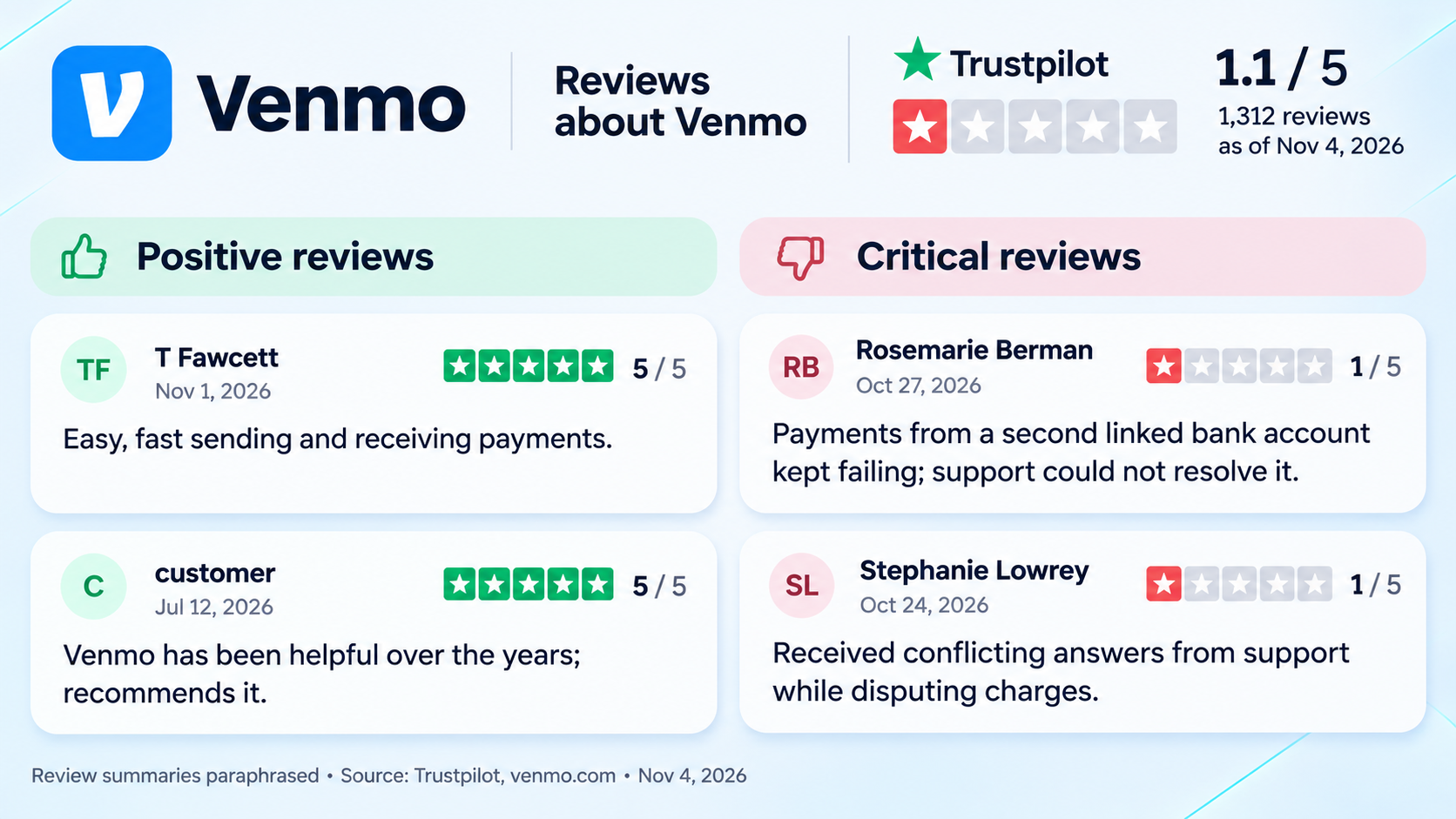
Customer reviews offer additional context on transfer reliability and what happens when a payment requires support.
PayPal
Best for: Online shopping and personal payments.
PayPal combines digital payments, money transfers, and merchant checkout services. It supports personal transactions within the US and payments to recipients in other countries.
Domestic Friends and Family transfers funded by a PayPal balance or bank account are free. Using a card costs 2.90% plus a fixed fee. International transfers and currency conversion have separate charges.
PayPal Purchase Protection applies to eligible Goods and Services payments. Friends and Family payments aren’t covered.
PayPal also offers Pay Later financing for qualifying purchases. The available payment plans and costs depend on the purchase and the user's eligibility.
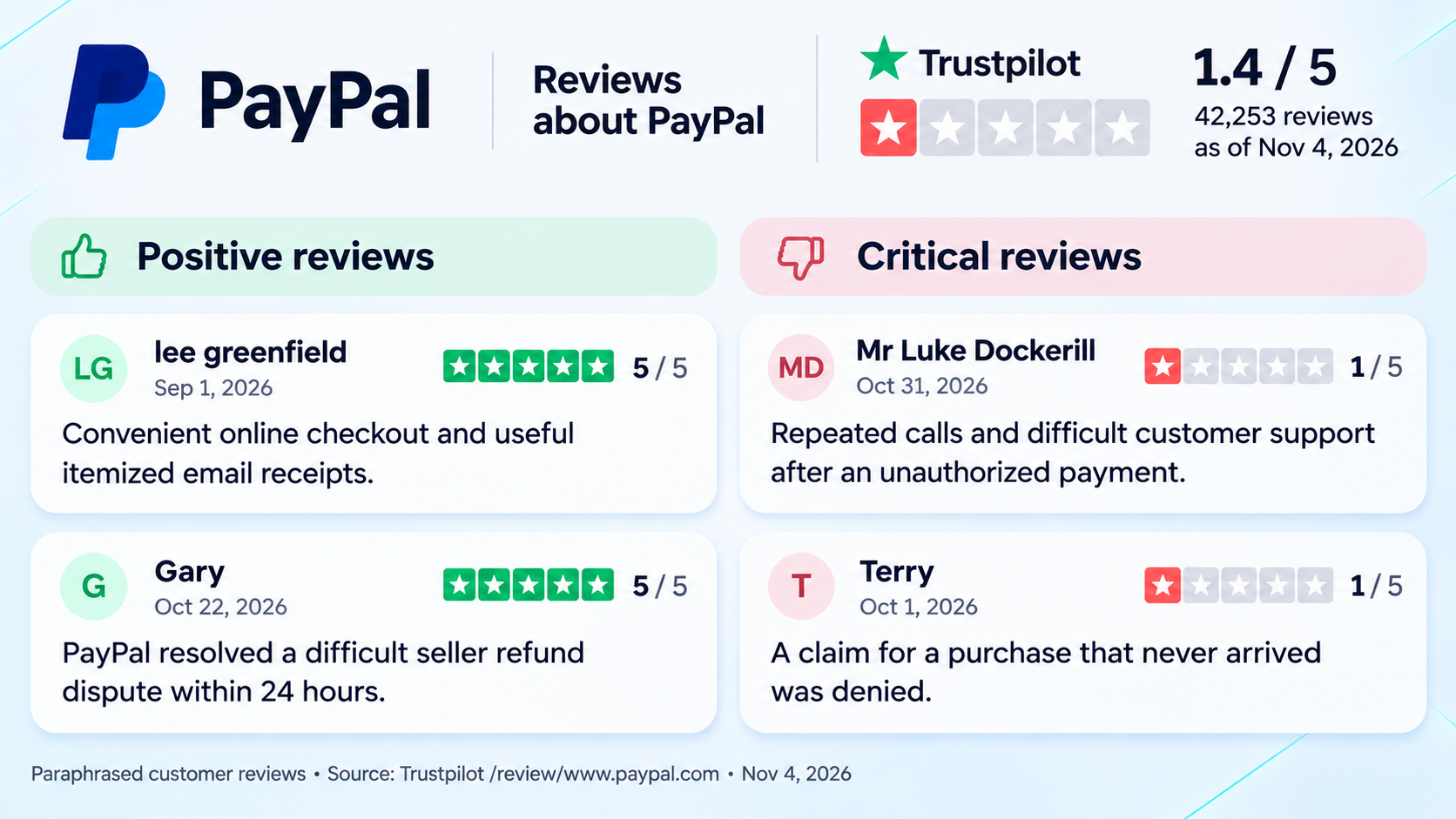
PayPal's purchase protections are particularly relevant when a transaction goes wrong. Customer experiences help illustrate how refunds, disputes, and support requests are handled in practice
Zelle
Best for: Transfers between US bank accounts.
Zelle allows customers of participating banks and credit unions to send money directly between eligible accounts.
Transfers between enrolled recipients generally arrive within minutes. Zelle usually does not charge consumers for these transactions, although individual banks may set their own limits and conditions.
Zelle works particularly well when both people already use compatible US banks. Check the recipient’s details before sending. You generally can’t cancel a payment to someone who’s already enrolled in Zelle.
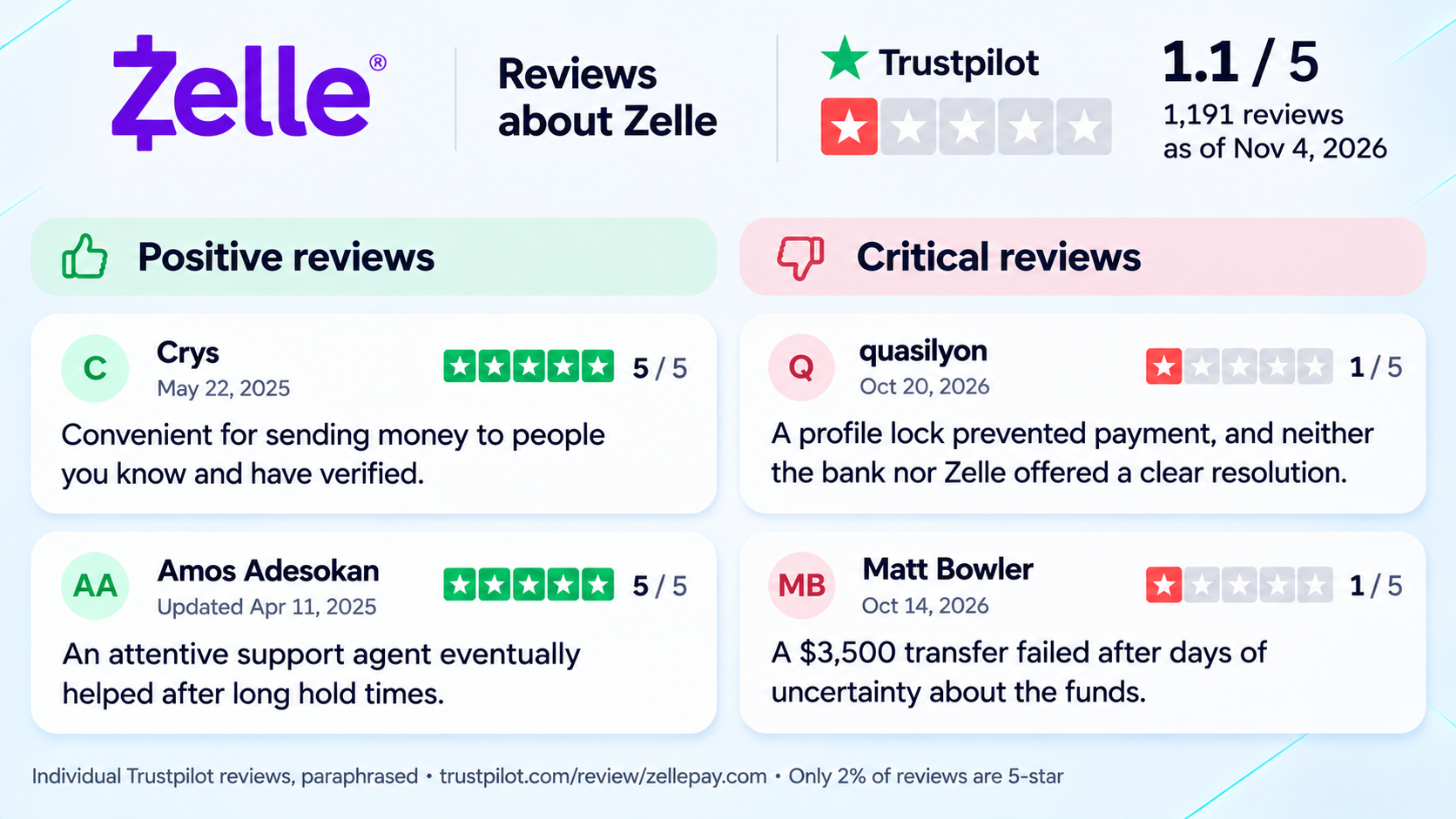
The selected reviews provide perspective on transfers that go smoothly and cases that require additional assistance.
Chime
Best for: Mobile banking and paycheck-related services.
Chime provides checking accounts, debit cards, direct deposit, and person-to-person payments.
Its Pay Anyone feature lets members send money to other Chime users and eligible non-members without transfer fees. Recipients without Chime can claim supported payments using a US-issued debit card.
Chime offers early access to qualifying direct deposits and overdraft coverage through SpotMe. These features have their own eligibility requirements.
Wise
Best for: International money transfers.
Wise supports payments across currencies and allows customers to hold and convert supported balances.
Its transfer pricing uses the mid-market exchange rate with a separate fee. The amount charged depends on the currency pair, payment method, and transfer size. Someone sending money from the US to Europe, for example, can review the total cost and expected amount received before confirming the transfer.
Wise also provides account details for receiving payments in selected currencies, making it useful for people working with international clients.
Available features and delivery times vary by destination.
If you’re comfortable using two services, you can use Wise for international transfers and ChangeNOW to buy, sell, or swap supported cryptocurrencies.
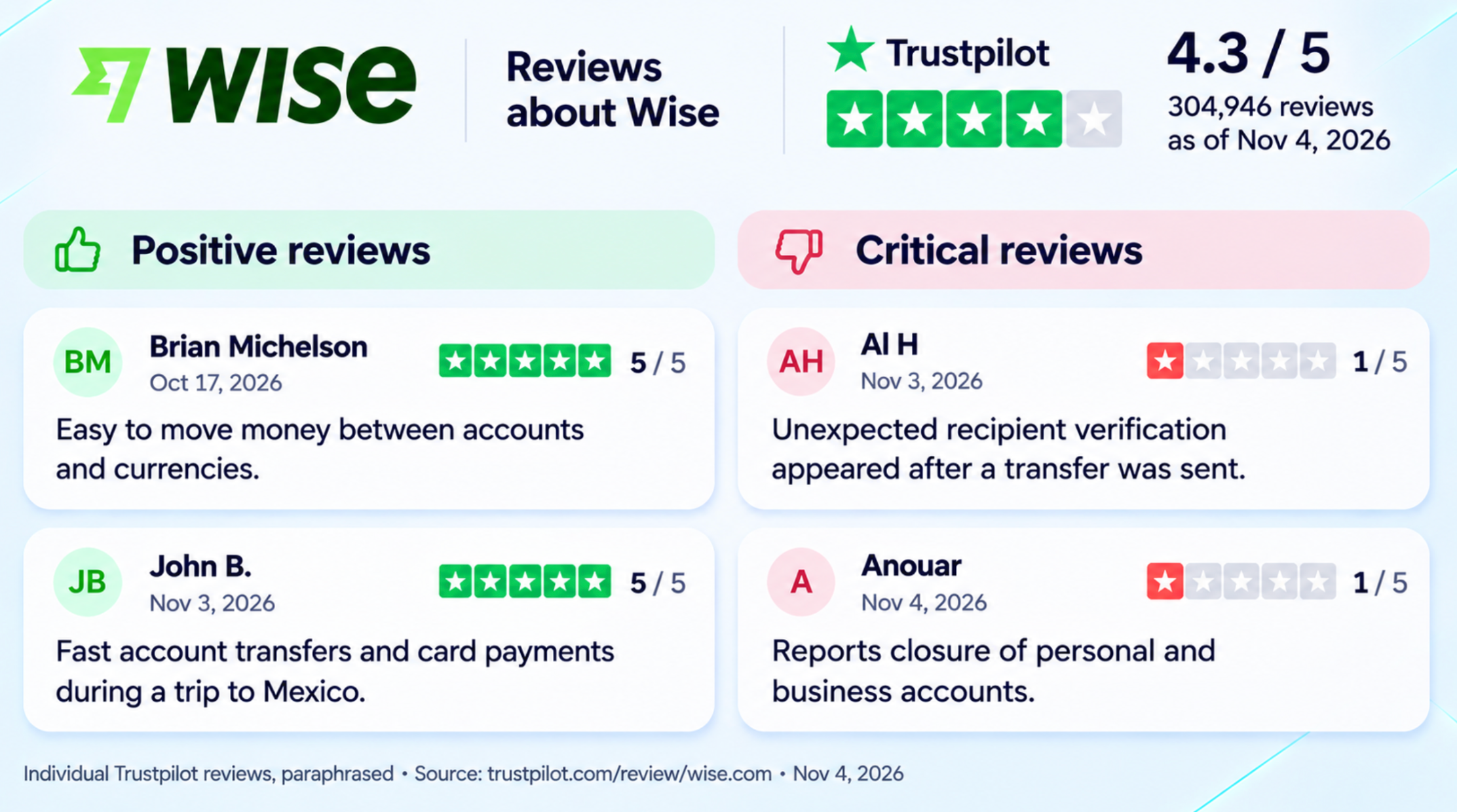
Customer feedback provides a useful perspective on how Wise handles those transactions, including verification and account-related issues.
Apple Cash
Best for: Personal payments on Apple devices.
Apple Cash allows eligible US users to send and receive money through Messages and supported Apple devices.
Funds can remain in the Apple Cash balance or be transferred to a linked bank account. Standard transfers are free and generally take one to three business days.
Instant Transfer to an eligible debit card costs 1.7%, with a minimum fee of $0.25 and a maximum of $25.
Apple Cash operates separately from Apple Pay, which handles purchases using payment cards stored in Apple Wallet.
The service is limited to supported devices and accounts, so it may be less practical for someone who regularly sends money to Android users.
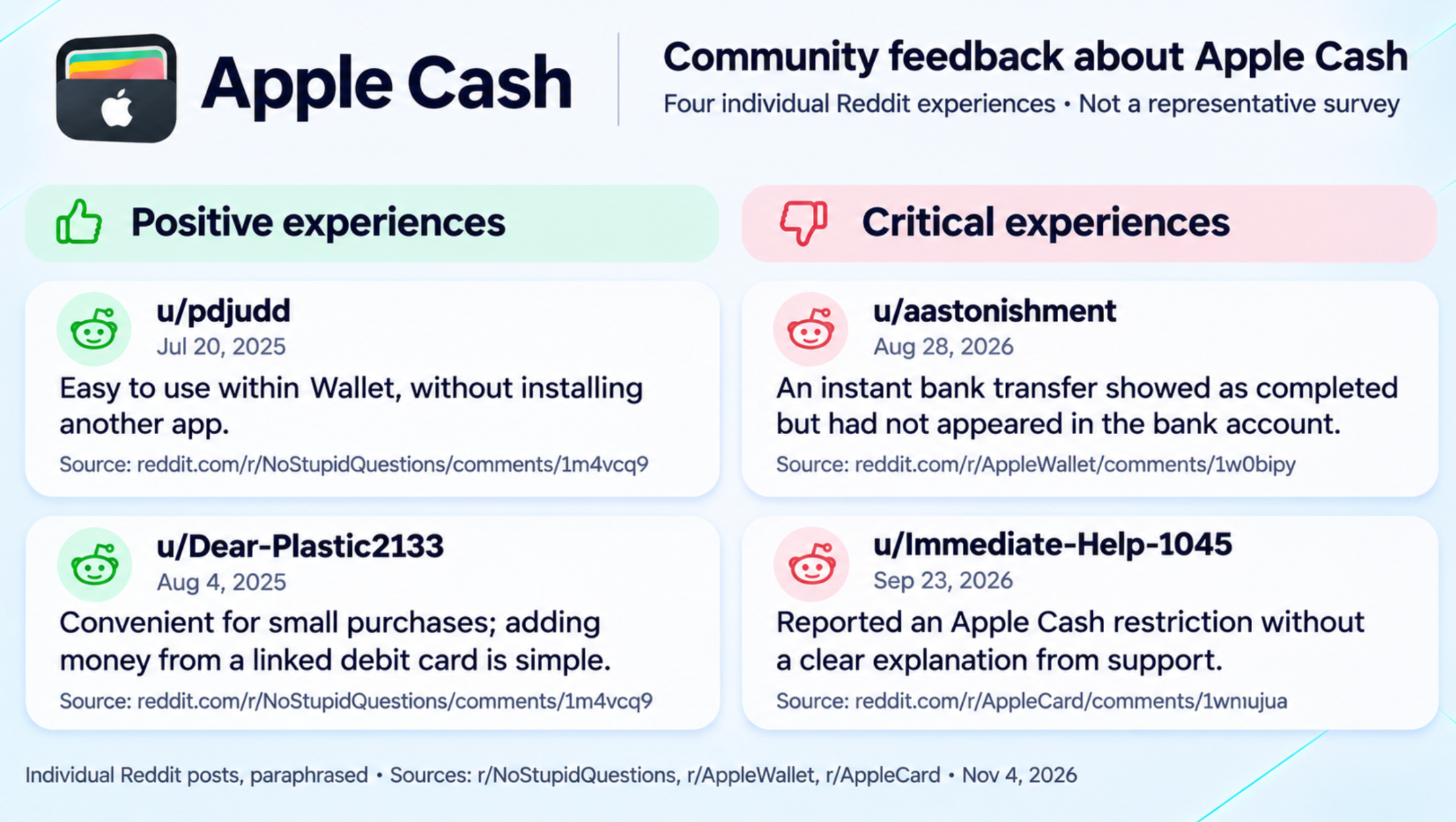
The following Reddit discussions describe individual experiences with Apple Cash, including everyday payments and account restrictions. They offer practical context, although they do not represent an overall customer rating.
Payment Apps Comparison
App
Main use
Free transfer option
Main limitation
Venmo
P2P payments
Eligible personal transfers
Card and instant fees
PayPal
Online purchases and transfers
Bank-funded domestic personal payments
Transaction-dependent fees
Zelle
Bank-to-bank payments
Generally free transfers
Participating bank required
Chime
Banking and P2P payments
Pay Anyone
Account eligibility
Wise
International transfers
Eligible same-currency Wise transfers
Conversion and transfer fees
Apple Cash
Apple device payments
Standard bank withdrawal
Apple ecosystem
Fees and availability refer to US consumer services. Business transactions, international payments, and expedited transfers may have different conditions.
Best Apps for Borrowing Money
Cash App Borrow provides loans to eligible users, although access and limits vary by account. Our guide to borrowing money from Cash App covers its requirements and repayment process.
Other apps provide early access to funds through earned wage access, cash advances, overdrafts, or credit lines.
App
Product
Standard option
Faster delivery
EarnIn
Earned wage access
No mandatory transfer fee
Lightning Speed fee varies
Dave
Overdraft
5% service fee, $5 minimum
External debit card adds 1.5%
Brigit
Cash advance
Plus membership $8.99/month
Express fee may apply
MoneyLion
Cash advance
Free to eligible MoneyLion Spend accounts
Turbo fee varies
Chime
Line of credit
Free standard delivery
3% ($2 minimum, $5 maximum)
If you already use Chime or MoneyLion Spend, check whether you qualify for free standard delivery. Otherwise, compare Dave's transaction fees, Brigit's subscription costs, and EarnIn's available transfer options before choosing.
EarnIn – Cash Out
Best for: Workers with verifiable earned income.
EarnIn provides early access to earned wages through its Cash Out feature.
Eligible users can request part of their income before the scheduled payday. Available amounts depend on verified earnings, employment information, and individual limits.
Standard transfers have no mandatory fee. Lightning Speed provides faster delivery for a charge that varies by location and transfer conditions. Users may also leave optional tips.
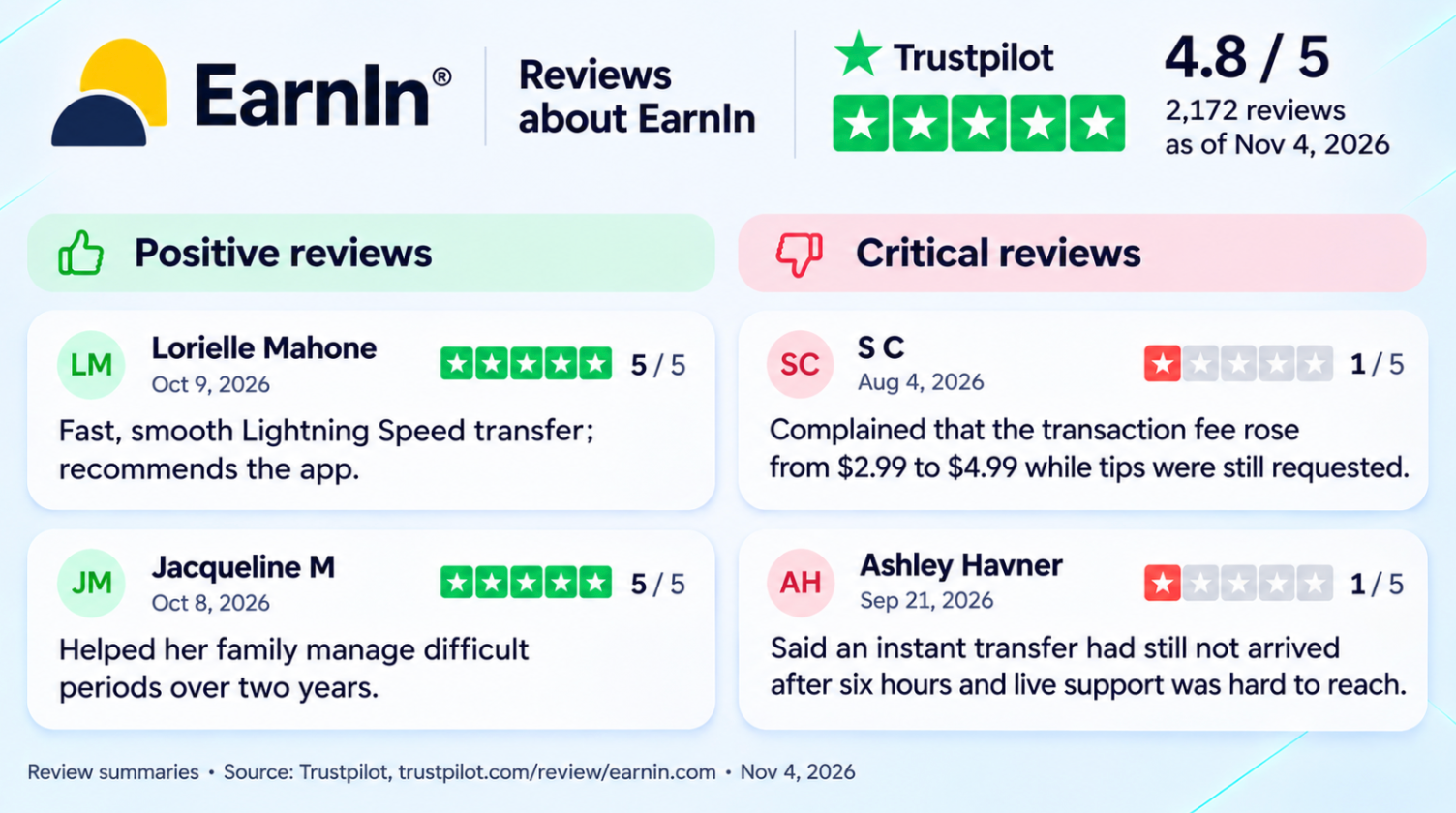
Customer reviews offer a closer look at Lightning Speed transfers, including delivery delays and changes in fees.
Dave – ExtraCash
Best for: Eligible users seeking short-term overdraft access.
Dave ExtraCash gives eligible members access to an overdraft.
The published service fee is 5% of the amount transferred, with a $5 minimum. Dave also charges a membership fee of up to $5 per month.
Transfers to Dave Checking do not carry an additional express fee. Sending funds to an external debit card adds 1.5%.
ExtraCash requires eligible Dave accounts. Available amounts depend on the user's financial information and may change over time.
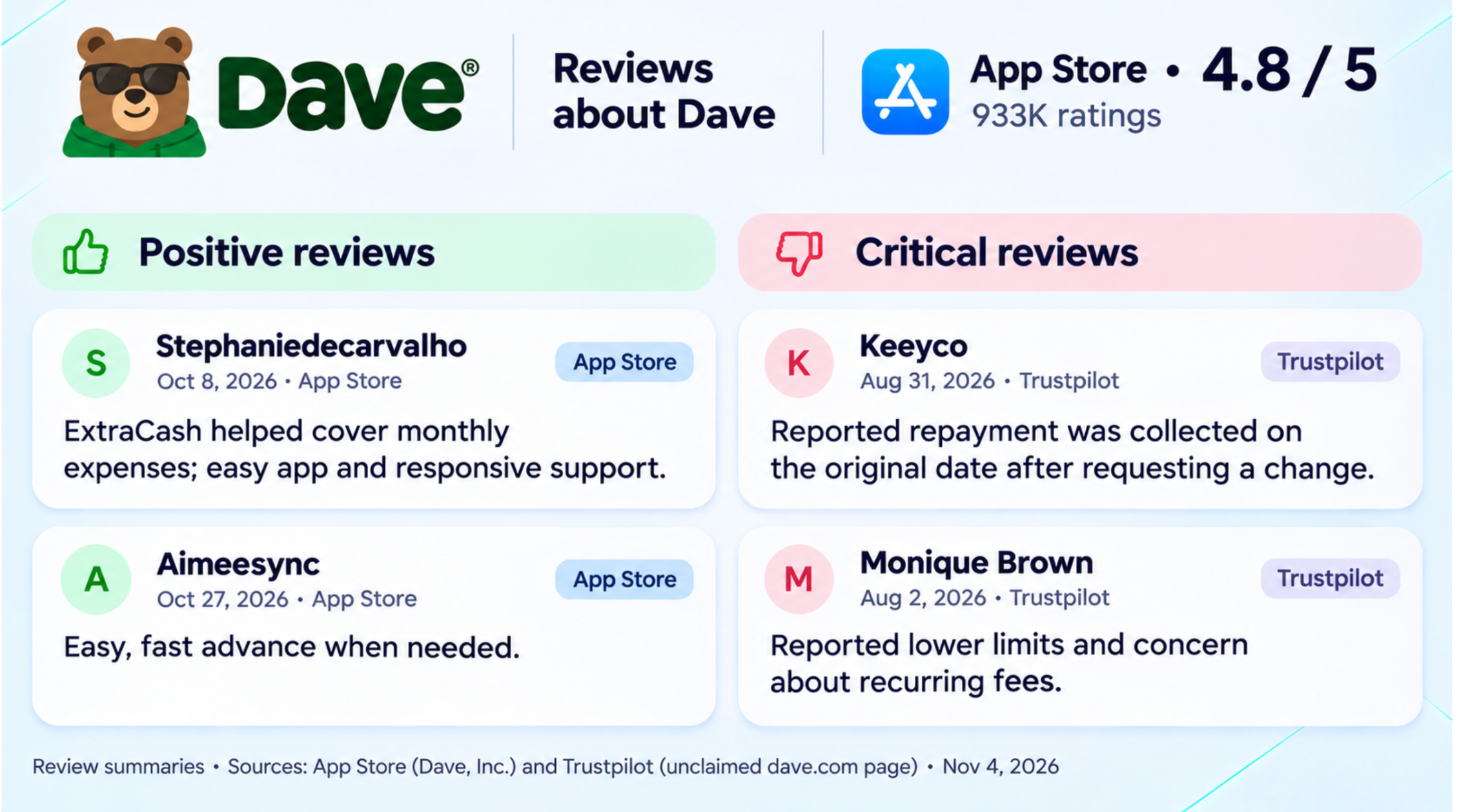
The reviews above cover repayment-date changes, available advance amounts, and customer support.
Brigit – Instant Cash
Best for: Users interested in advances and budgeting tools.
Brigit provides cash advances based on income and linked checking-account activity.
Its Plus plan costs $8.99 per month and includes access to Instant Cash for eligible members. Premium costs $15.99 and includes additional features, including free express delivery.
Plus members can receive standard delivery without an additional charge. Express delivery may have a separate fee.
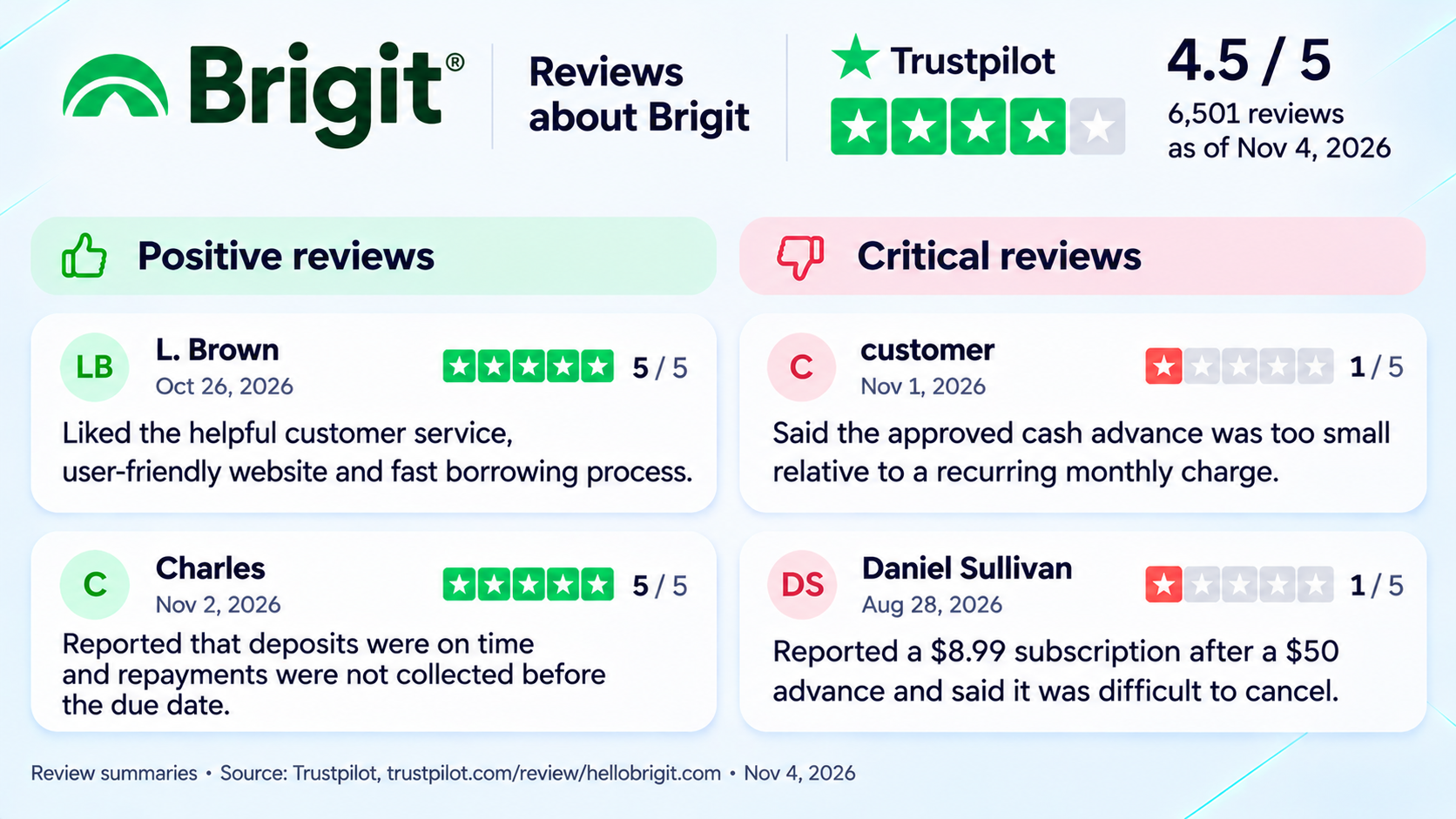
Customer reviews raise questions about the value of a monthly subscription when the approved advance is relatively small.
MoneyLion – Instacash
Best for: Existing MoneyLion Spend users.
MoneyLion's Instacash provides advances based on qualifying recurring deposits and account activity.
Eligible customers can receive standard delivery to a MoneyLion Spend account without an additional fee. Turbo delivery costs extra, with charges determined by the amount and destination.
Transfers to an external bank account usually require paid Turbo delivery. If you can’t open or keep a MoneyLion Spend account, you may qualify for free standard delivery to an external account.
MoneyLion does not charge interest on Instacash. Tips are optional and do not affect eligibility or available limits.
The service's terms classify Instacash as an advance rather than a loan. Future advances can be restricted until previous amounts are settled.
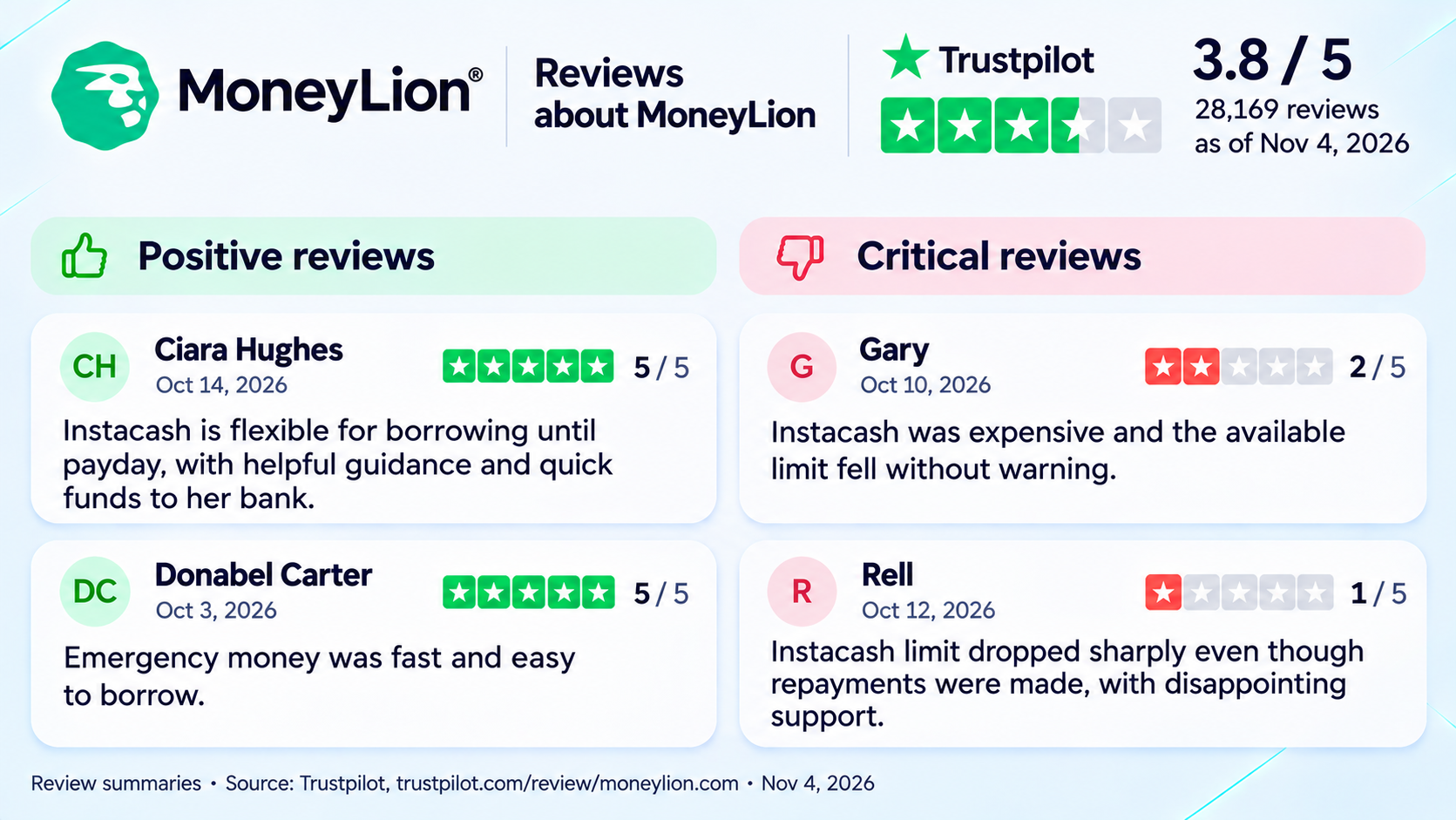
Several reviewers describe changes to their Instacash limits, including reductions after previous advances were repaid.
Chime – MyPay
Best for: Eligible Chime members with qualifying direct deposits.
MyPay is Chime's line of credit for accessing a portion of earnings before payday.
Chime uses your qualifying direct deposits and account history to set your credit limit. The amount you can access on a given day may be lower than that limit.
Standard delivery within 24 hours is free. Instant delivery costs 3% of the advance, subject to a $2 minimum and $5 maximum. Some members qualify for free instant advances.
MyPay does not charge interest or require a traditional credit check. Availability depends on the member's account and location.
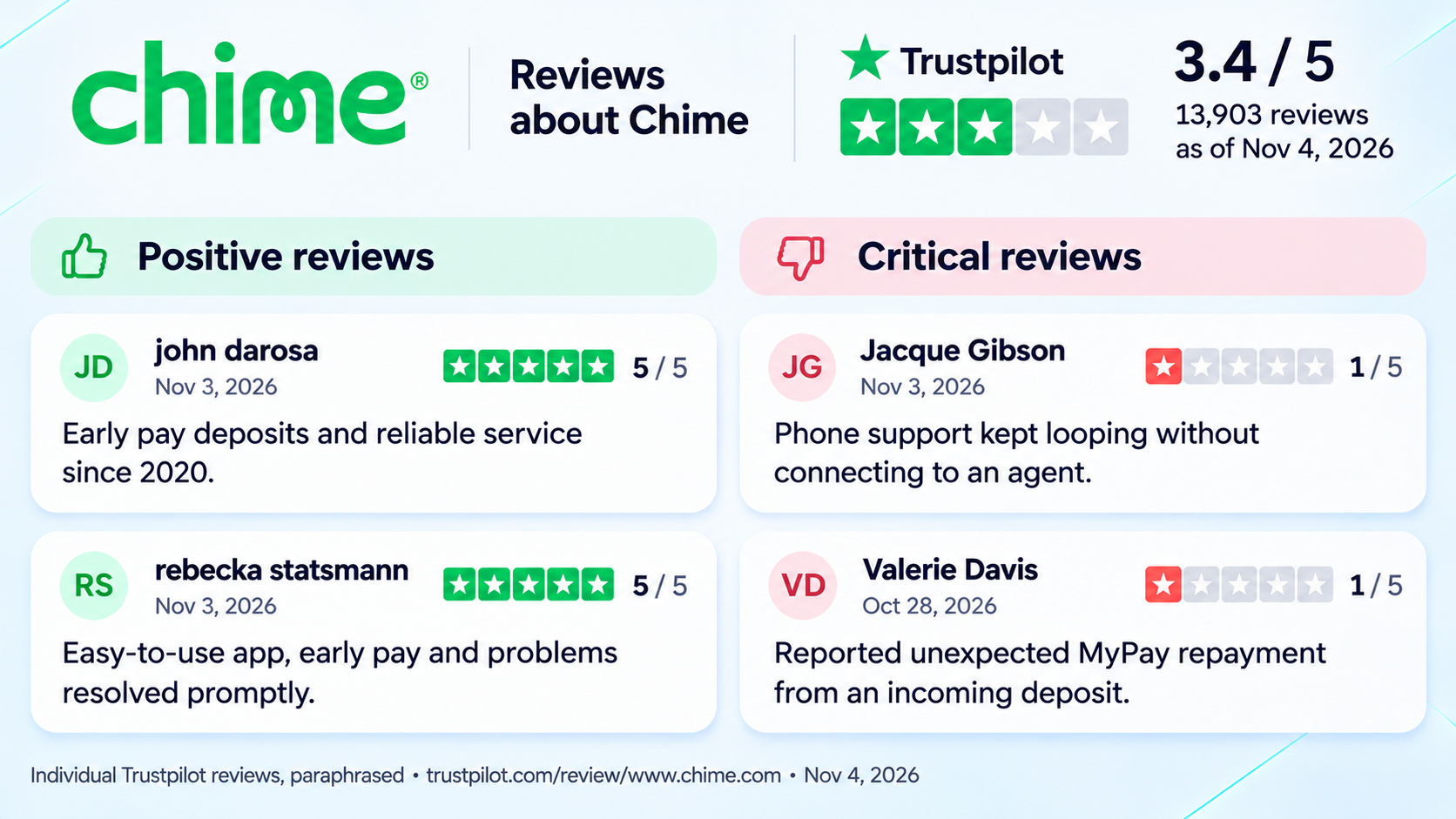
The selected reviews focus on MyPay limits and repayment experiences. The Trustpilot rating shown represents Chime overall.
How Much Do Cash Advance Apps Cost?
Here’s what it costs to access $200 in one transaction. The table shows total fees by delivery speed and where the money is sent, assuming the full $200 is available through the option you choose.
For a $200 advance, the lowest-cost option depends on how quickly you need the money and where it's delivered. Eligible Chime MyPay and MoneyLion Spend users can receive standard delivery for $0, while Dave's 5% overdraft fee applies even when using Dave Checking. Instant transfers and external payouts can increase the total cost.
The comparison excludes optional tips, promotional discounts, and Dave's separate monthly membership fee.
Crypto-Backed Loans for Crypto Holders
The cash advance options above generally look at your income or account activity. If you already own crypto, you can use it as collateral for a loan. The amount you can borrow depends on the value of that collateral and the lender’s loan-to-value ratio (LTV).
Depending on the provider, you may receive USD or a digital asset such as USDT or USDC. If you receive stablecoins, you may need to convert them to USD before moving the money to a bank account. For a comparison with unsecured borrowing, see our guide to borrowing crypto without collateral.
Crypto Loans vs. Cash Advances
Factor
Cash advance
Crypto-backed loan
Eligibility
Income or account activity, depending on the provider
Supported collateral and other provider requirements
Collateral
Generally none
Cryptocurrency
Funds received
Usually USD
USD or digital assets
Possible costs
Service, delivery, or membership fees
Interest and other loan fees
NOWLoans
You can apply for a crypto-backed loan through your ChangeNOW Account, and CoinRabbit handles the application.
The initial loan-to-value ratio (LTV) is 50%, so $2,000 in eligible collateral would support a $1,000 loan before fees. Interest accrues while the loan is open and is due when you close it. The NOWLoans FAQ lists a $100 fee for closing a loan in less than 30 days.
CoinRabbit
CoinRabbit offers loans secured by cryptocurrency without a credit check. The platform may ask you to verify your identity.
You can choose a fixed-term loan with a repayment deadline or an open-ended loan with no set due date. You can repay either early. The interest rate depends in part on the loan type and the LTV.
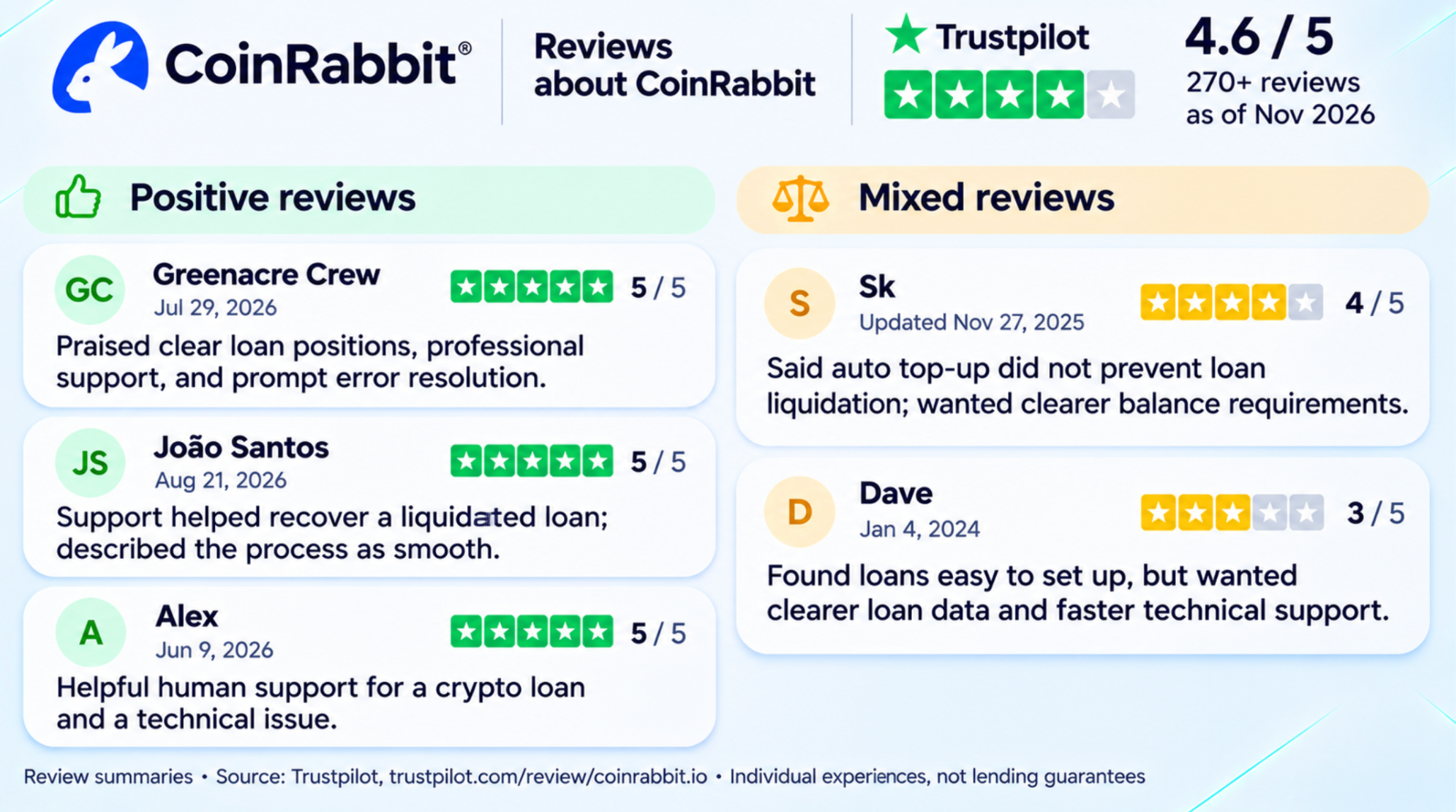
The CoinRabbit reviews below describe borrowers’ experiences with customer support, technical issues, and liquidation.
Our article on borrowing against Bitcoin covers collateral mechanics and risk management in greater detail.